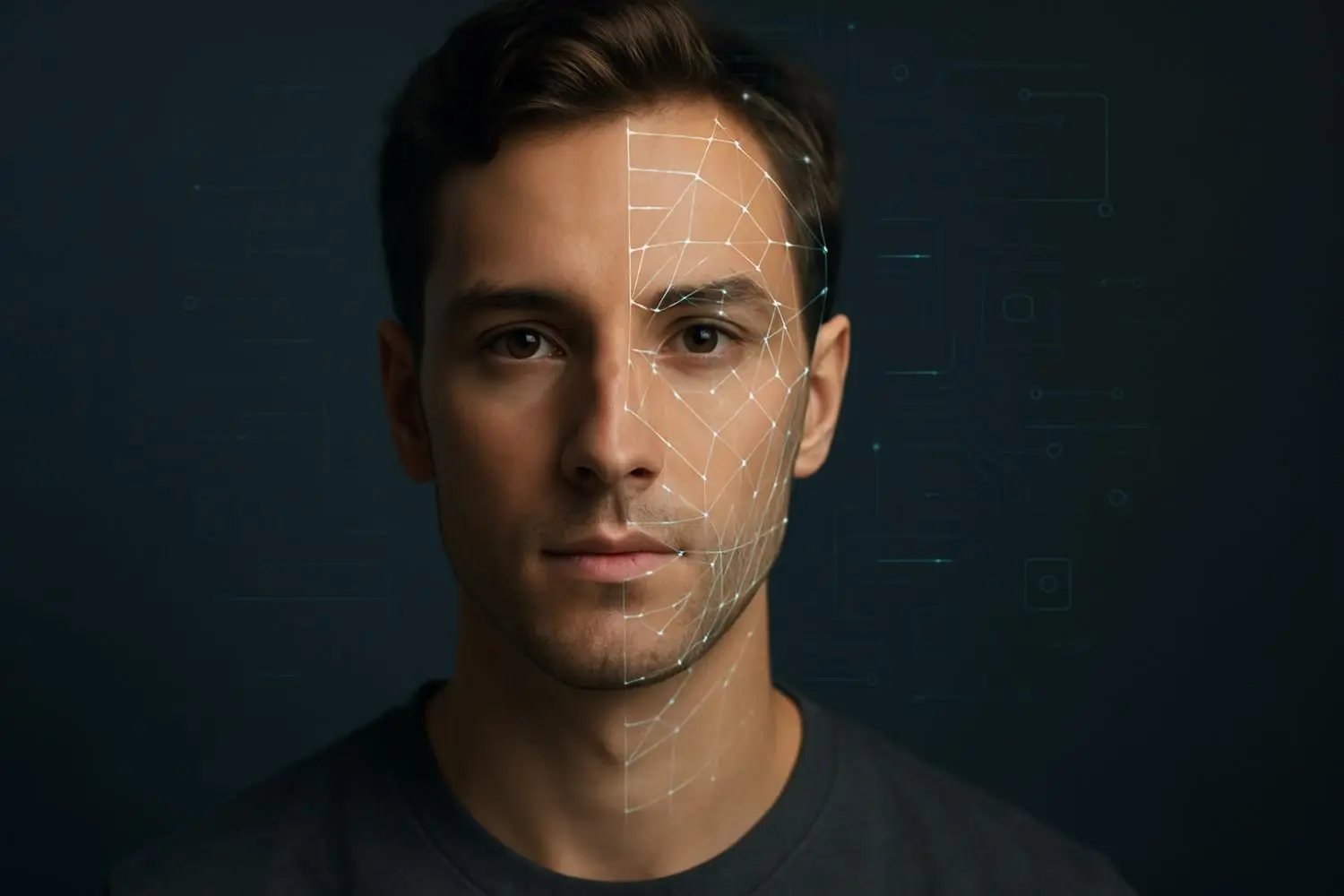
 Not long ago, retouching a portrait meant hours of dodging, burning, cloning, and carefully brushing details in Photoshop. Today, a single click can smooth skin, brighten eyes, shape light on a face, and even generate entirely new portraits—thanks to AI face mapping.
AI face mapping is quietly becoming one of the most powerful tools in portrait photography. It can detect a face, understand its structure, analyze skin, and apply targeted adjustments with surprising accuracy. Tools like ON1 Portrait AI, PortraitPro, Adobe Photoshop’s AI-powered features, and various online portrait enhancers already use facial recognition and machine learning to detect features like eyes, skin, hair, and teeth, then retouch them automatically.
In simple terms, AI face mapping is transforming portrait photography by enabling precise facial analysis, enhanced retouching, realistic AI-generated portraits, and hyper-personalized editing. It improves accuracy, automates manual corrections, and helps photographers deliver high-quality, studio-like results faster—whether you’re shooting on a mirrorless body or a smartphone.
This guide dives into what AI face mapping actually is, how it’s changing the future of portrait photography, real-world use cases, upcoming innovations, and the ethical lines photographers shouldn’t cross.
Not long ago, retouching a portrait meant hours of dodging, burning, cloning, and carefully brushing details in Photoshop. Today, a single click can smooth skin, brighten eyes, shape light on a face, and even generate entirely new portraits—thanks to AI face mapping.
AI face mapping is quietly becoming one of the most powerful tools in portrait photography. It can detect a face, understand its structure, analyze skin, and apply targeted adjustments with surprising accuracy. Tools like ON1 Portrait AI, PortraitPro, Adobe Photoshop’s AI-powered features, and various online portrait enhancers already use facial recognition and machine learning to detect features like eyes, skin, hair, and teeth, then retouch them automatically.
In simple terms, AI face mapping is transforming portrait photography by enabling precise facial analysis, enhanced retouching, realistic AI-generated portraits, and hyper-personalized editing. It improves accuracy, automates manual corrections, and helps photographers deliver high-quality, studio-like results faster—whether you’re shooting on a mirrorless body or a smartphone.
This guide dives into what AI face mapping actually is, how it’s changing the future of portrait photography, real-world use cases, upcoming innovations, and the ethical lines photographers shouldn’t cross.
What Is AI Face Mapping?
At its core, AI face mapping is a set of algorithms that detects and understands a human face in an image. It doesn’t just see “a face”—it sees structure. Most modern tools use machine learning models trained on large datasets of faces. When you load a portrait, the AI:- Scans and analyzes facial structure It identifies the positions of key landmarks—eyes, nose, lips, jawline, cheekbones, brows, and even hairline. This is often called face landmark detection or facial recognition (in a non-authentication context). Tools like ON1 Portrait AI, PortraitPro, and others use this to automatically find each face and map its features for precise retouching.
- Detects skin tone, texture, symmetry, and expressions AI can distinguish skin from background, hair, and clothing. It can estimate texture (smooth, rough, oily, dry), detect uneven tone, and understand whether the subject is smiling, frowning, or neutral. Some tools can even “unblur” faces or sharpen facial details specifically.
- Supports retouching, editing, and lifelike generation Once the face is mapped, AI can perform highly targeted edits. It can smooth skin while preserving pores, brighten eyes, whiten teeth, adjust lip color, and even generate new portrait variations from scratch. Online AI portrait tools now offer automatic retouching, removing imperfections and enhancing facial details in a single step.
How AI Face Mapping Is Changing Portrait Photography
The future of portrait photography is already visible in how fast and smart our tools have become. AI face mapping is reshaping both the creative process and the business side of portrait work.1. Automating Traditional Editing
What used to take 30–60 minutes per portrait—cleaning skin, fixing color, enhancing eyes—can now be done in seconds. Modern retouching software and AI-powered online tools detect faces and apply “smart presets” tailored to each face. Instead of painstaking manual masking:- The AI masks skin automatically.
- It isolates eyes, lips, brows, and hair.
- It applies subtle and adjustable corrections.
2. Enhancing Fine Details: Eyes, Skin, Hair
Because AI understands the structure and boundaries of facial features, it can enhance details with far more precision:- Sharpening eyes without adding noise to the skin
- Accentuating catchlights naturally
- Making hair look fuller and more defined
- Retaining pores and texture instead of creating a plastic look
3. Improving Lighting and Color Correction
AI is not just retouching; it’s effectively doing light shaping after the fact. AI-powered cameras and software:- Analyze highlights and shadows around the face
- Lift underexposed areas without flattening contrast
- Correct color casts on skin tones
- Simulate directional lighting (e.g., adding a subtle “key light” look)
4. Ultra-Realistic AI-Generated Portraits
Generative AI can now create portraits that look astonishingly real—even of people who don’t exist. Models like GANs and diffusion-based systems work hand-in-hand with face mapping to maintain realistic anatomy, proportion, and lighting. For brands, creatives, and concept artists, this means:- Generating model-like portraits without booking a studio
- Creating “digital models” for concept campaigns
- Testing poses, lighting styles, and looks before a real shoot
5. Reducing Post-Production Time
Perhaps the most practical change: time. AI-powered retouching software increasingly offers:- One-click portrait enhancement
- Batch processing for hundreds of images
- AI presets that adapt to each face
Key Benefits of AI Face Mapping in Portrait Photography
Let’s break down the main advantages photographers are already experiencing.1. Ultra-Precise Facial Detection
AI doesn’t just find a face; it understands its edges, contours, and expressions:- Captures micro-expressions, wrinkles, laugh lines
- Follows jawline, cheekbones, and hairline accurately
- Recognizes shadows and highlights across the face
2. Smarter Skin Retouching
Classic skin retouching risks one big problem: plastic skin. AI-based skin smoothing aims to avoid that by:- Differentiating between texture (pores, fine lines) and defects (spots, blemishes)
- Balancing smoothing with clarity
- Applying different levels of smoothing to different parts of the face
3. Lighting & Color Optimization
AI face mapping can detect where the light hits the face and adjust accordingly:- Lifting shadows under the eyes
- Softening harsh highlights on the forehead or nose
- Matching skin tone across multiple people in a group shot
- Correcting white balance while protecting skin tone
4. Consistent Editing Workflow
For photographers who shoot large volumes, consistency is everything. AI face mapping helps by:- Applying the same “look” across many faces and sessions
- Auto-matching styles (e.g., a specific contrast + color grade)
- Making batch edits more reliable and less manual
5. AI-Generated and AI-Enhanced Portraits
With AI face mapping, you can:- Enhance portraits shot in poor lighting to look closer to studio quality
- Generate new portraits, avatars, or variations based on a single face
- Blend real photography with AI elements for stylized, cinematic looks
Advanced Use Cases of AI Face Mapping
AI face mapping is already integrated into many parts of the visual world beyond classic studio portraits.1. Professional Portrait Retouching
High-end retouchers and studios use AI as a starting point:- Quick base clean-up (skin, eyes, teeth)
- Automated frequency-style smoothing
- Intelligent sharpening of important features
2. Beauty and Fashion Photoshoots
Beauty and fashion work is often detail-heavy and style-specific. AI helps:- Maintain consistent skin tones across a campaign
- Experiment with bolder, editorial looks non-destructively
- Preview how makeup or lighting would look on different faces
3. Model Portfolio Creation
Agencies and freelancers can:- Update portfolios quickly with refined edits
- Create test shots and AI-generated looks to visualize concepts
- Build consistent portfolios even when images come from different photographers
4. E-Commerce Fashion Imagery
Online fashion brands need thousands of images with a unified style. AI face mapping:- Keeps models looking consistent across products and seasons
- Ensures natural, flattering skin and eyes under varied lighting
- Helps match color grading between studio days
5. AI Avatar Creation
From gaming to corporate virtual profiles:- AI can map a real face and build stylized avatars (2D or 3D)
- Keeps recognizable likeness while adapting style (cartoon, painterly, sci-fi)
6. Virtual Try-On & AR Filters
Beauty apps, eyewear brands, and fashion platforms use face mapping to:- Align virtual glasses, makeup, or jewelry accurately
- Track facial movement for real-time AR effects
- Respond to expressions (smiles, raised brows, etc.)
7. Digital Identity and Verification
Face mapping is also used in identity verification systems to match user selfies to ID photos, though this overlaps with biometric security and privacy concerns.8. Cinematic Face-Based Enhancements
Video editing tools are increasingly:- Track faces across frames using AI
- Apply consistent grading, smoothing, or eye enhancement throughout a sequence
- Create subtle “beauty passes” for film, advertising, and social content
The Future: What’s Coming Next?
Looking ahead, the future of portrait photography is likely to be even more AI-driven, but also more personalized and immersive.1. Real-Time AI Retouching Cameras
Smartphones already apply AI processing as soon as you press the shutter. Future cameras—both phones and dedicated systems—are expected to:- Perform real-time AI retouching as you shoot
- Preview skin smoothing, eye enhancement, and lighting changes in the live view
- Offer face-aware presets in-camera
2. Hyper-Realistic AI Portrait Generators
We’re heading toward AI portrait generators that can produce images that are almost indistinguishable from real photographs, even to trained eyes.- Full control over age, mood, wardrobe, lighting, and lens style
- Faithful replication of a person’s likeness (with a reference photo)
- Or entirely fictional people for concept art and campaigns
3. Personalized Face Mapping Profiles
Imagine an AI that not only understands faces, but also understands you:- It learns your preferred retouching intensity, color palette, and contrast
- It recognizes your brand’s look and applies it automatically
- It builds custom profiles per client, so their portraits always look consistent
4. AI Skin Health Analysis in Beauty Photography
For beauty and skincare photography, AI could:- Analyze texture, redness, pores, and spots in more detail
- Generate visual reports for brands or dermatology collaborations
- Help create before/after imagery that is both honest and scientifically grounded
- Used responsibly, this can help align photography with real skincare results rather than exaggerated advertising.
5. Immersive 3D Face Mapping for AR/VR
As AR/VR and the metaverse space mature, 3D face mapping will be crucial:- Realistic avatars that mimic subtle expressions
- Photorealistic virtual photoshoots in digital spaces
- Hybrid shoots where a real person is captured and “reskinned” in 3D
Challenges & Ethical Considerations
As with any powerful technology, AI face mapping comes with serious ethical questions.1. Over-Editing and Unrealistic Beauty Standards
AI makes it incredibly easy to “perfect” a face:- Remove wrinkles, texture, and weight cues
- Reshape facial structure subtly or dramatically
- Create an idealized version that doesn’t exist in reality
2. Data Privacy and Consent
Face mapping relies on facial data. That raises questions:- How are training images collected?
- Were subjects fully informed and consenting?
- Are user portraits stored securely, and for how long?
3. Deepfakes and Misuse
The same technologies that enable beautiful, cinematic portraits can also power:- Non-consensual deepfake imagery
- Impersonation of real people (including professionals, celebrities, or private individuals)
- Manipulated photos and videos are used for misinformation
4. Need for Transparency in AI-Generated Images
A growing number of ethicists and organizations advocate for:- Clear labeling of AI-generated or heavily AI-edited imagery
- Watermarking or metadata standards for synthetic media
- Brand and photographer transparency when using AI portraits
Best Practices for Photographers Using AI Face Mapping
AI is a tool—not a replacement for your vision. To use it responsibly:- Keep edits natural Aim for refinement, not reinvention. Retain skin texture, real proportions, and the subject’s true character.
- Maintain the subject’s real identity Avoid reshaping faces to fit trends or stereotypes unless it’s a clearly stylized, agreed-upon creative concept.
- Use AI for enhancement, not distortion Think of AI as a smarter dodge & burn brush, not a face replacement engine.
- Always get consent for AI-based edits Especially for AI-generated portraits, identity-driven avatars, or strong beautification. Clarify with clients what kind of AI processing you’re applying.
- Be transparent when needed In commercial or editorial contexts, consider disclosing heavy AI involvement, particularly when images could influence perception (beauty, health, or political messages).
- Protect client data Use reputable tools, check privacy policies, and avoid feeding sensitive client images into untrusted platforms.
FAQ: AI Face Mapping & The Future of Portrait Photography
1. What is AI face mapping in photography?
AI face mapping is a technology that analyzes a face in an image—detecting facial landmarks, skin tone, texture, and expressions—to enable precise retouching, enhancement, and even AI-generated portraits.2. How does AI improve portrait editing?
AI improves portrait editing by automatically detecting faces and features, smoothing skin intelligently, enhancing eyes and hair, optimizing lighting and color, and applying consistent edits across large batches of images.3. Is AI face mapping better than manual editing?
It’s faster and more consistent for repetitive tasks like basic skin cleanup and exposure correction. However, manual editing still matters for fine artistic control, complex compositing, and nuanced decisions. The best results usually come from combining AI automation with a human retoucher’s judgment.4. Can AI-generated portraits replace real photography?
AI-generated portraits can replace certain use cases—like mockups, conceptual visuals, or fictional characters—but they can’t replace the experience, authenticity, and connection of real photoshoots. For personal branding, weddings, documentary work, and storytelling, real photography remains essential.5. What tools use AI face mapping today?
Popular tools include dedicated portrait retouching software (e.g., ON1 Portrait AI, PortraitPro), AI-powered online retouching platforms, and mainstream editors like Adobe Photoshop that use AI for skin smoothing, object removal, and face-aware adjustments. Smartphones from major brands also use AI face detection for real-time enhancement.6. Is face mapping safe for privacy?
It depends on how it’s implemented. On-device processing and reputable software with strong privacy policies are safer. Cloud-based tools that store, reuse, or train on user images without clear consent pose more risk. Always read the terms and be cautious about uploading sensitive portraits.7. Will AI replace portrait photographers?
AI will replace certain tasks, not the entire profession. Culling, basic retouching, and some stylized output can be automated, but photographers still drive:- Concept, direction, and storytelling
- Lighting, posing, and client experience
- Brand and artistic vision