 May 8, 2026
 AI-generated videos are rapidly changing the way Indian businesses create marketing content, advertisements, explainers, and social media campaigns. What once required expensive cameras, production crews, actors, and long editing timelines can now be achieved in days — sometimes even hours.
From startups in Bengaluru to D2C brands in Delhi and real estate companies in Mumbai, businesses across India are exploring how AI video generation works to reduce production costs while increasing content output. The rise of advanced tools like Runway Gen-3, Kling AI, Google Veo 2, and ElevenLabs has made AI-powered storytelling more accessible than ever.
But despite the buzz around AI video creation, many brands still wonder what actually happens behind the scenes. How does a text prompt become a polished video? What role do AI models play? And where does human creativity still matter?
In this guide, we’ll break down the complete AI video production process used by modern creative studios like PulsePlay Films — from scriptwriting and AI-generated visuals to voiceovers, editing, revisions, and final delivery.
For businesses looking to scale content production efficiently, explore our professional AI video services India.
AI video generation works by converting text, scripts, or images into complete videos using machine learning models that automatically generate visuals, motion, voiceover, and editing without traditional filming.
What is AI Video Generation?
AI video generation is the process of using artificial intelligence tools to create videos from written prompts, scripts, images, or audio inputs. Instead of relying entirely on physical shoots, AI models generate scenes, animations, camera movements, transitions, and voiceovers digitally.
Traditional video production usually involves multiple stages:
- Pre-production planning
- Location scouting
- Camera setup
- Lighting
- Actors or presenters
- Shooting days
- Editing and post-production
AI-powered video production simplifies many of these stages by automating visual generation and editing tasks.
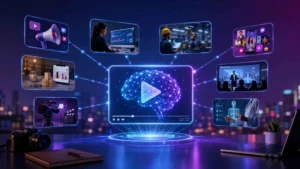
At its core, AI video generation follows a simple workflow:
Input → AI Processing → Final Video Output
Input Stage
The user provides:
- A script
- Text prompts
- Brand references
- Product images
- Voiceover instructions
- Visual style preferences
AI Processing Stage
Machine learning models analyze the prompt and generate:
- Video scenes
- Character movements
- Cinematic shots
- Lighting styles
- Motion graphics
- AI voiceovers
- Background environments
Output Stage
The generated assets are assembled into a final video that can be optimized for:
- Instagram Reels
- YouTube
- Ads
- Websites
- Product demos
- Corporate presentations
Between 2024 and 2026, AI video technology has evolved significantly. Earlier AI videos often looked robotic or inconsistent, but modern tools now produce cinematic visuals with realistic motion, better lip sync, improved lighting, and advanced camera simulation.
Businesses are increasingly using AI for:
- High-volume content production
- Fast campaign launches
- Multilingual marketing
- Personalized advertising
- Social media storytelling
If you’re new to this space, read our complete AI-generated video guide for a deeper overview of the technology and industry trends.
Step-by-Step: How PulsePlay Films Creates an AI Video
Every successful AI-generated video still depends on a strong creative workflow. While AI tools automate many technical processes, strategic planning and human direction remain essential.
Here’s the exact AI video production process followed at PulsePlay Films.
Step 1 — Discovery & Brief
Every project starts with understanding the business objective.
Before generating visuals or writing prompts, the creative team identifies:
- The target audience
- Campaign goals
- Platform requirements
- Brand tone and identity
- Desired emotional response
- Key messaging
For example, a luxury real estate brand requires a completely different visual language compared to a fintech startup or an ecommerce fashion label.
During the discovery phase, the team gathers:
- Brand guidelines
- Existing marketing assets
- Product references
- Competitor examples
- Preferred visual styles
- Call-to-action requirements
This stage helps create a detailed creative brief that guides the entire production process.
A strong brief improves:
- AI prompt accuracy
- Visual consistency
- Storytelling clarity
- Audience relevance
- Final production quality
Many businesses underestimate this phase, but effective AI videos are rarely created from random prompts alone. Strategic planning remains the foundation of successful visual storytelling.
Step 2 — Script & Voiceover Writing
Once the creative direction is finalized, the next step is scripting.
The script acts as the blueprint for the entire AI video.
A professionally written AI video script typically includes:
- Scene-by-scene narration
- Visual descriptions
- Camera direction
- Timing notes
- Voiceover instructions
- Text overlays
- CTA placement
For short-form content like Instagram Reels or YouTube Shorts, scripts are optimized for:
- Fast hooks
- Retention-driven pacing
- Mobile viewing
- Quick transitions
- Platform algorithms
For corporate or explainer videos, the script focuses more on:
- Information clarity
- Brand credibility
- Structured storytelling
- Educational flow
AI Voiceover vs Human Voiceover
Indian businesses now commonly use both AI-generated and human-recorded voiceovers.
AI Voiceovers
AI voice generation tools can create:
- Hindi voiceovers
- English voiceovers
- Regional language narration
- Male or female voices
- Different emotional tones
Modern AI voices sound significantly more natural than earlier generations.
Human Voiceovers
Human artists are still preferred for:
- Emotional storytelling
- Luxury branding
- Cinematic narratives
- Documentary-style content
- Premium advertisements
Many brands now use a hybrid approach where AI handles draft versions while professional voice artists finalize premium campaigns.
Step 3 — AI Visual Generation
This is where the actual AI video creation begins.
After finalizing the script, visual prompts are created for AI generation tools.
These prompts describe:
- Environments
- Characters
- Camera angles
- Lighting style
- Motion direction
- Mood and atmosphere
- Color palette
- Lens simulation
- Cinematic references
The AI model then converts these prompts into video sequences.
Popular AI Video Tools Used by PulsePlay Films
Runway Gen-3
Runway Gen-3 is widely used for cinematic AI video generation.
It excels in:
- Realistic motion
- Camera movement simulation
- Dynamic lighting
- Fashion visuals
- Product films
- Stylized storytelling
The tool allows creators to generate multiple scene variations quickly.
Kling 2.0
Kling AI has gained popularity for generating highly realistic motion and detailed scene continuity.
It performs especially well for:
- Human movement
- Environmental realism
- Dynamic scenes
- Character interaction
- Advanced animation
Google Veo 2
Google Veo 2 represents the next generation of AI cinematic generation.
It supports:
- High-quality scene realism
- Improved physics simulation
- Better camera consistency
- Cinematic depth
- Longer video generation
Generating Multiple Variations
Professional AI studios rarely rely on a single generation.
Instead, teams create:
- Multiple scene options
- Different visual styles
- Alternate camera movements
- Various pacing approaches
- Several mood treatments
This process helps identify the strongest creative direction before post-production begins.
Even with advanced AI tools, human curation remains essential because not every AI-generated output is production-ready.
Step 4 — Editing & Post-Production
After generating AI visuals, editors assemble the footage into a polished narrative.
This stage combines traditional editing expertise with AI-generated assets.
The editing process includes:
- Clip sequencing
- Transition design
- Timing adjustments
- Visual cleanup
- Motion graphics
- Text overlays
- Color grading
- Audio mixing
- Background music
- Sound effects
Professional post-production is often the difference between an amateur AI video and a high-quality branded campaign.
Motion Graphics Integration
AI-generated visuals are frequently enhanced with:
- Animated typography
- Product highlights
- UI animations
- Brand logos
- Kinetic text
- Data visualization
Sound Design & Music
Audio plays a major role in perceived production quality.
Editors carefully add:
- Background scores
- Cinematic sound effects
- Ambient audio
- Impact sounds
- Dialogue balancing
Many Indian businesses now prefer AI-generated background music for faster licensing and customization.
However, premium campaigns often still use custom-composed music for stronger brand identity.
Step 5 — Client Review & Revision
Once the first draft is completed, it is shared with the client for review.
Most professional AI production workflows include structured feedback rounds.
At PulsePlay Films, the revision process typically includes:
- Draft review
- Creative feedback collection
- Messaging refinement
- Scene replacement
- Text adjustments
- Branding updates
- Audio corrections
Most projects include two revision cycles to ensure the final video aligns with brand expectations.
AI production allows revisions to happen much faster than traditional shoots because scenes can often be regenerated digitally instead of requiring reshoots.
This flexibility is one of the biggest reasons businesses are adopting AI-assisted production workflows.
Step 6 — Final Delivery
After approval, the final video is exported in platform-specific formats.
Different platforms require different aspect ratios and optimization strategies.
9:16 Vertical Format
Best for:
- Instagram Reels
- YouTube Shorts
- TikTok
- Facebook Stories
16:9 Landscape Format
Best for:
- YouTube
- Websites
- OTT presentations
- Corporate showcases
1:1 Square Format
Best for:
- Social media feeds
- LinkedIn posts
- Ecommerce ads
- Product promotions
Professional delivery also includes:
- Compression optimization
- Subtitle versions
- Platform-specific exports
- Multiple language versions
- Thumbnail creation
- Ad-ready formats
Top AI Video Tools Used in India (2025–26)
India’s AI video ecosystem is growing rapidly, with creators, agencies, and production houses using a combination of international and emerging tools.
Here are some of the most widely used platforms in 2025–26.
Runway ML Gen-3 Alpha
Runway remains one of the most advanced AI video generation platforms available today.
It is widely used for:
- Cinematic visuals
- AI commercials
- Short-form content
- Fashion campaigns
- Creative storytelling
Its ability to simulate camera movement and realistic lighting makes it popular among filmmakers and advertising studios.
Kling AI 2.0
Kling AI has become known for its strong motion realism.
Creators often use it for:
- Human-centric scenes
- Realistic movement
- Product demonstrations
- Dynamic action shots
Its scene continuity improvements have made it increasingly valuable for commercial projects.
Google Veo 2
Google Veo 2 represents a major advancement in high-quality AI video generation.
The platform focuses heavily on:
- Cinematic realism
- Long-form generation
- Improved scene physics
- Better motion consistency
- Professional-grade visuals
ElevenLabs
ElevenLabs is one of the leading AI voice generation platforms.
Indian businesses use it for:
- Hindi voiceovers
- Multilingual narration
- Dubbing
- Podcast audio
- Character voices
Its realistic voice synthesis capabilities make it useful for explainers, ads, and educational content.
Adobe Firefly
Adobe Firefly supports AI-assisted creative workflows within the Adobe ecosystem.
It is commonly used for:
- AI image generation
- Background replacement
- Visual enhancement
- Text effects
- Creative asset generation
Because it integrates with Premiere Pro and After Effects, many editors use Firefly to accelerate post-production.
Types of Videos AI Can Generate
AI video generation is no longer limited to experimental visuals. Businesses across industries are using AI for practical marketing and communication.
Marketing & Advertisement Videos
Brands use AI to produce:
- Digital ads
- Promotional campaigns
- Product launches
- Brand awareness videos
AI helps generate ad variations quickly for different audience segments.
Product Explainer Videos
AI-generated explainers simplify complex products and services.
These videos are especially useful for:
- SaaS companies
- Fintech startups
- Healthcare brands
- Ecommerce products
Social Media Reels
Short-form vertical content is one of the biggest AI video categories.
Businesses create:
- Instagram Reels
- YouTube Shorts
- Trend-based content
- Viral marketing clips
Corporate Films
Companies are increasingly using AI-assisted production for:
- Company profiles
- Investor presentations
- Recruitment videos
- Brand storytelling
Training Videos
AI-generated training content helps organizations scale internal learning.
This includes:
- Employee onboarding
- Safety training
- Educational modules
- Product tutorials
Event Highlights
AI editing tools can rapidly transform event footage into:
- Recap videos
- Highlight reels
- Social snippets
- Promotional assets
Explore more AI video use cases for brands to understand how different industries are implementing AI-powered content strategies.
Limitations of AI Video Generation
Although AI video technology is improving rapidly, it still has limitations.
Understanding these challenges helps businesses set realistic expectations.
Lack of Human Emotion Realism
AI-generated actors and expressions can sometimes feel unnatural.
Subtle emotional nuances, eye movement, and realistic interaction remain difficult for AI systems to replicate perfectly.
This becomes especially noticeable in:
- Emotional storytelling
- Luxury branding
- Human-centric narratives
- Documentary-style content
Complex Motion Issues
Fast movement and physics-heavy scenes can still create visual errors.
Common issues include:
- Hand distortion
- Inconsistent body movement
- Unrealistic object interaction
- Motion artifacts
Scene Inconsistency
Maintaining consistency across multiple generated scenes remains a technical challenge.
AI sometimes changes:
- Facial features
- Clothing details
- Background elements
- Lighting continuity
- Camera perspective
The Hybrid Production Solution
Because of these limitations, many studios now follow a hybrid production model that combines:
- AI-generated visuals
- Real camera footage
- Human editing
- Motion graphics
- Professional sound design
This approach offers the best balance between efficiency and production quality.
For a deeper comparison, read our AI video vs traditional production comparison.
Why Indian Businesses Are Adopting AI Video
The Indian content market is expanding rapidly, and brands need more videos than ever before.
AI video production helps companies meet this demand efficiently.
Cost Efficiency
Traditional production often involves:
- Studio rentals
- Equipment costs
- Production crews
- Actors
- Travel expenses
- Editing timelines
AI-assisted workflows reduce many of these costs significantly.
This makes high-quality video production more accessible to:
- Startups
- Small businesses
- D2C brands
- Local service providers
Faster Turnaround
AI videos can often be produced much faster than traditional shoots.
Businesses can launch campaigns quickly without waiting for:
- Location approvals
- Shooting schedules
- Large production setups
This speed is particularly valuable for:
- Trend-based marketing
- Seasonal campaigns
- Social media content
- Ecommerce promotions
Scalability
AI allows brands to produce content at scale.
Instead of creating one ad, companies can generate:
- Multiple language versions
- Platform-specific edits
- Audience-targeted variations
- Personalized campaigns
Multilingual Content Creation
India’s linguistic diversity makes multilingual video production extremely important.
AI voice and dubbing tools now support:
- Hindi
- Tamil
- Telugu
- Bengali
- Marathi
- Punjabi
- Malayalam
- Kannada
This helps businesses expand reach across regional markets more efficiently.
Conclusion
AI video generation is redefining modern content production for Indian businesses. What once required large production budgets and long timelines can now be achieved with faster, scalable, and more flexible workflows.
Understanding how AI video generation works helps brands make smarter creative decisions — whether they are producing social media content, advertisements, explainers, or corporate videos.
While AI tools continue to improve rapidly, the best results still come from combining automation with strong storytelling, professional editing, and human creative direction.
For most businesses, hybrid production workflows that blend AI-generated visuals with traditional filmmaking techniques deliver the highest-quality output.
As AI video technology evolves through 2026 and beyond, businesses that adapt early will gain a significant advantage in content speed, personalization, and audience engagement.
Frequently Asked Questions (FAQs)
To create an AI video, you typically need:
A script or text prompt
Brand references
Voiceover requirements
Visual style direction
AI generation tools
Editing software
Professional studios also use post-production workflows to improve quality and consistency.
Some of the top AI video tools in 2026 include:
Runway Gen-3
Kling AI 2.0
Google Veo 2
ElevenLabs
Adobe Firefly
Different tools specialize in different tasks such as video generation, voice synthesis, or editing.
Yes. AI-generated videos can include:
Brand logos
Custom colors
Typography
Product visuals
Brand messaging
Motion graphics
Most professional workflows integrate full brand identity systems.
Many modern AI platforms support high-resolution video generation, including 4K exports.
However, final quality often depends on:
Source generation quality
Editing workflow
Upscaling methods
Compression settings
Yes. Modern AI voice tools support Hindi and several Indian regional languages.
Businesses can create multilingual campaigns with AI-generated narration for broader audience reach.